How to check if your Google Ads agency is any good: a checklist for business owners
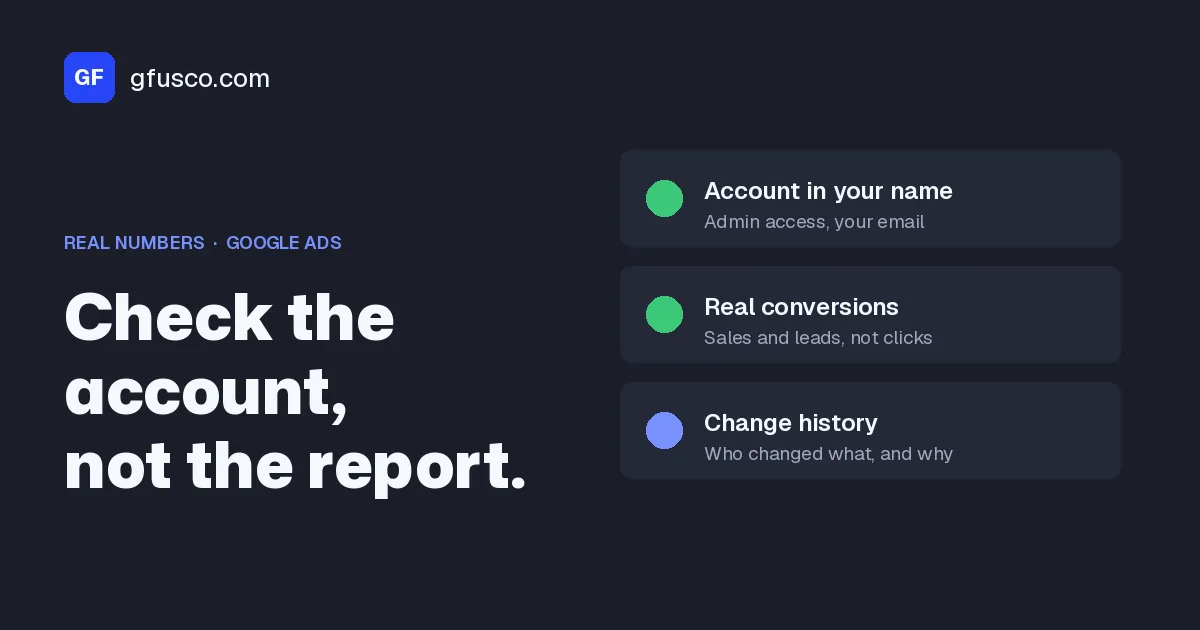
To check if your Google Ads agency is any good, don't start with the monthly report. Check five things, in this order. The account is in your company's name and you have Admin access. Conversions count real sales and real leads, not clicks or ten-second calls. Change history shows regular work that someone can explain. You pay for searches that match what you sell. The report says why the numbers moved and what happens next. Only then look at results, and compare them with the money that actually comes in, not with Google's numbers.
I work with agencies every day, and most of them do good work. This checklist is not about finding someone to blame. It's for you, the business owner, so you know what to look at and what to ask. A good agency passes it even in a bad month, and is often happy that someone checks.
How do I know if my Google Ads agency is doing a good job?
Split it into three questions. The order matters, because the second one decides whether you can trust the third.
- Is the work happening? You see it in change history and in the search terms. Google keeps this data no matter who runs the account.
- Are the numbers true? If tracking counts the wrong things, every chart in the report is wrong too. This is the check people skip most often.
- Are the results good? Ask this only after the first two. Weak results with true numbers are a strategy or market problem. Weak results with wrong numbers are not a fact yet.
The first checks take about an hour and access to your own account. This is the table I use as a reminder.
| Check | Where | What you look for |
|---|---|---|
| Ownership and access | Admin, Access and security | At least one person from your company with Admin access |
| Conversions | Goals, Conversions, Summary | A few primary actions that match real sales or real leads |
| Change history | Campaigns, Change history | Regular changes, made by people, that the report can explain |
| Search terms | Campaigns, Insights and reports, Search terms | Little spend on searches that would never buy from you |
| Auto-apply recommendations | Campaigns, Recommendations, Auto-apply | What Google applies on its own, and who decided it |
| Report | The agency's email | Why the numbers moved and what happens next month |
Why isn't looking at this month's results enough?
Because results also depend on things the agency doesn't control. Market demand, prices, stock, competitors, the website, and who calls the leads back. A weak month doesn't prove the agency is bad. A good month doesn't prove it's good.
A case of mine, without names. On an online store we lowered the target ROAS on some campaigns to get more volume. Google spent more, sales didn't come, and we moved the targets back up. Looking closer, impressions had been falling for weeks, but impression share was stable and no campaign was limited by budget. Demand was going down. We were not losing auctions. You see impression share in the Search campaign columns and in the auction insights report. The report for that month said exactly this, with the numbers. That's the kind of explanation you should get.
On Reddit, the line business owners quote most is "the algorithm is still learning", said for months (a thread on r/growmybusiness). Sometimes it's true. Often it's an answer that says nothing. What makes the difference is what comes next: what are we learning, from which data, and when do we look again.
Do you actually own your Google Ads account?
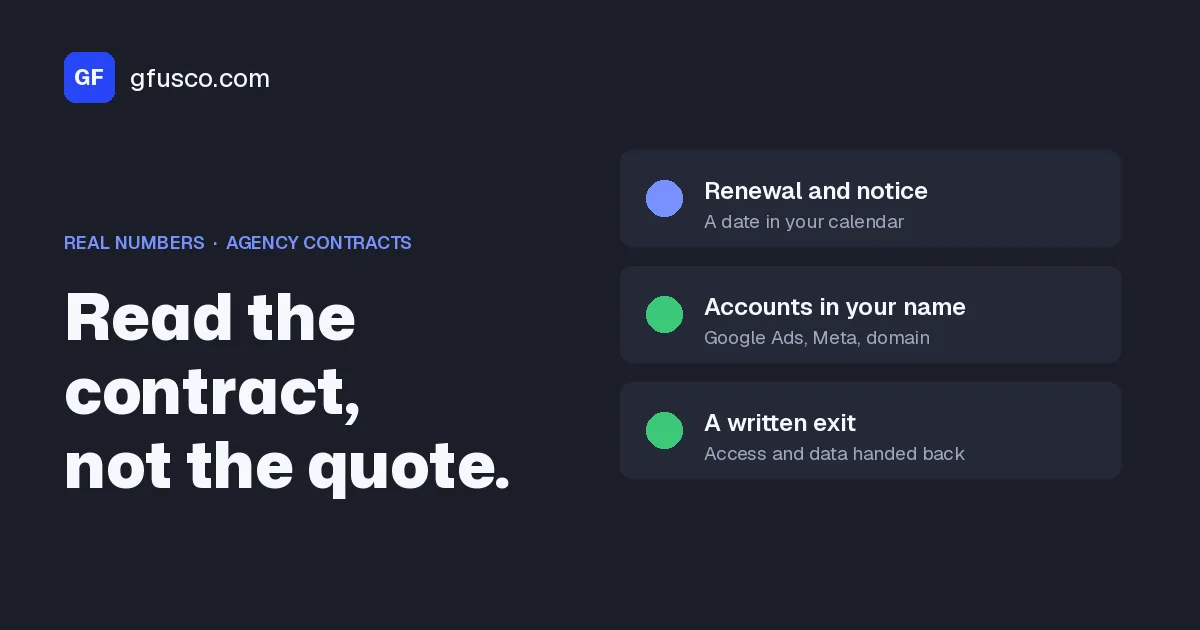
This is the first check because it decides all the others. If the agency created the account inside its own manager account and you have no direct access, the history, the conversions and the audiences stay with the agency if you ever part ways.
- Open Admin, then Access and security. In the Users tab there should be at least one person from your company, with a company email, with Admin access. Not only Read-only. Only Admin users can add or remove users and unlink a manager account, as the table of access levels shows.
- Look at the Managers tab. There you see which manager accounts are linked, meaning the agency, and whether they have ownership. A manager account that creates a client account becomes its owner automatically. Google says ownership doesn't take admin rights away from the client account, which can always unlink (Google Ads Help on ownership).
- Check who pays Google. The payments profile should carry your company's details. If you pay a single invoice to the agency, ask how media spend and the agency fee are split.
- Do the same for connected tools. Google Analytics, Tag Manager, Merchant Center and your Business Profile. If one of them is in the agency's name, flag it and ask for a transfer.
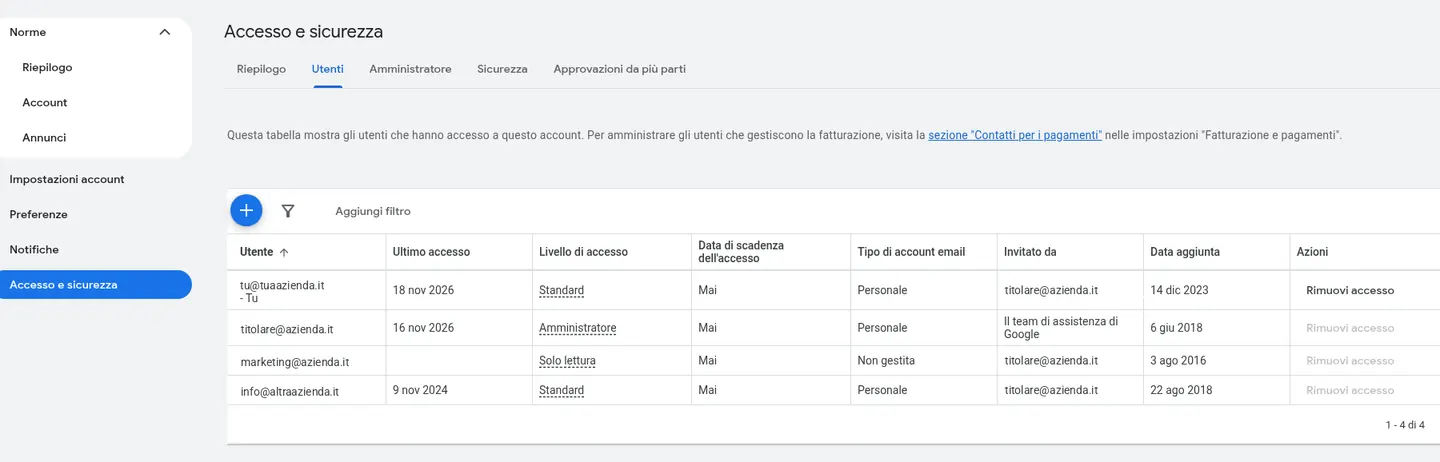
Asking for Admin access is normal. It's not a sign of distrust. The agencies I work with give it without problems, and Google itself suggests having more than one admin, so you don't lose access to your tags if the only person leaves.
Do your conversions count real sales and real leads?
This is where most of it is decided. Google's automated bidding optimizes for whatever the account marks as a primary conversion. If the primary actions include a click on the phone number, a page view or a form that never reaches the CRM, Google looks for more people who do that. The report looks great and nobody walks into the shop.
- Open Goals, Conversions, Summary. Count the primary actions. For an online store it's usually one, the purchase. For lead generation, the form submission and calls above a minimum length. Everything else can stay secondary, visible in the All conversions column but out of bidding (primary and secondary actions).
- Look at the count setting. Leads are usually counted once per click. Purchases, every one.
- Look for duplicates. The same purchase counted by the Google Ads tag and by an event imported from GA4, both set as primary, doubles sales in the report. I have found this on Shopify.
- Run a real test. Fill in the form on your site or place a small order, note the time, and the next day check that exactly one conversion shows up, of the right type.
- Compare with your own numbers. Take a closed month. Put Google's conversions next to the store orders or the leads in your CRM, and how many became customers.
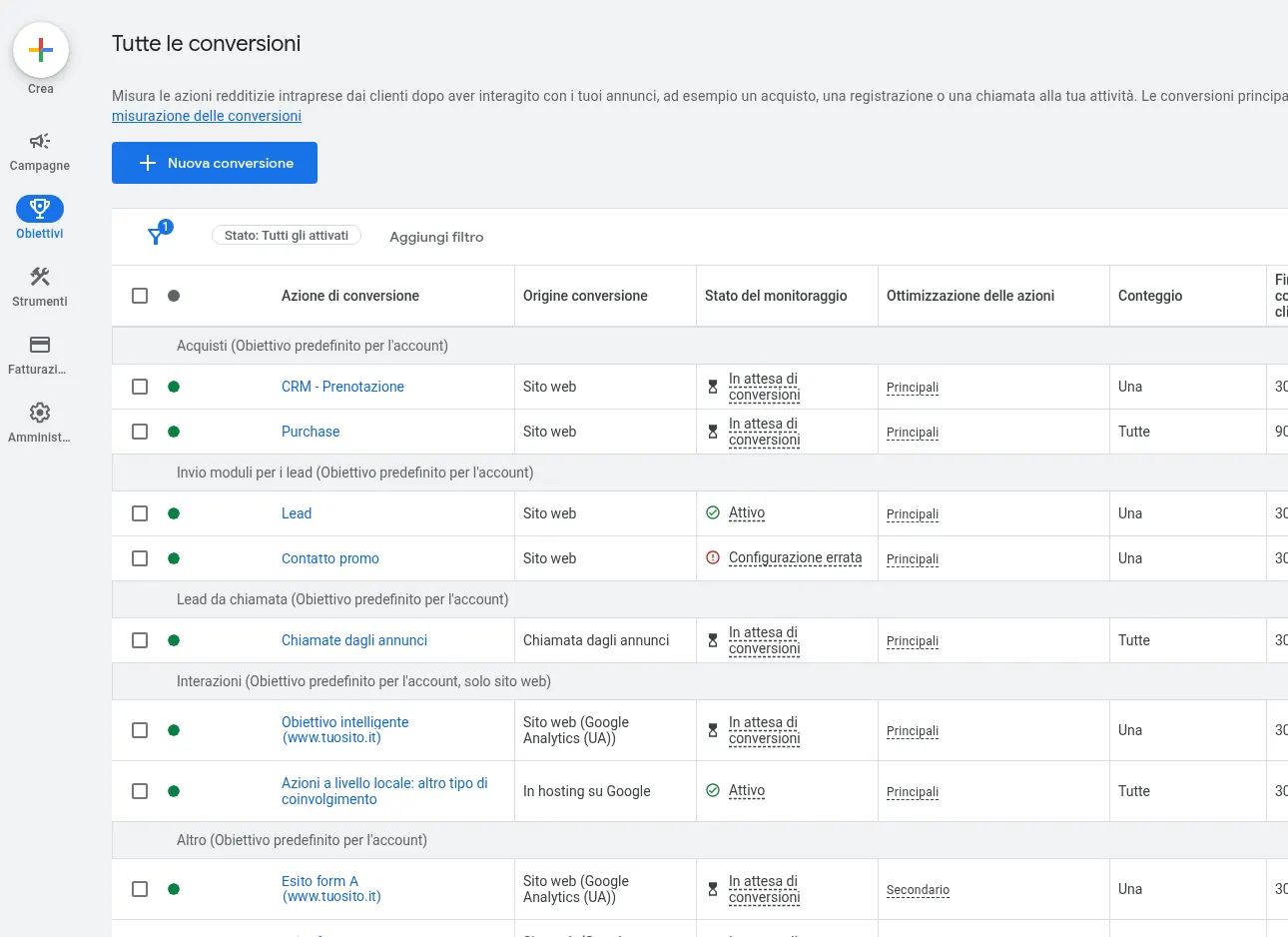
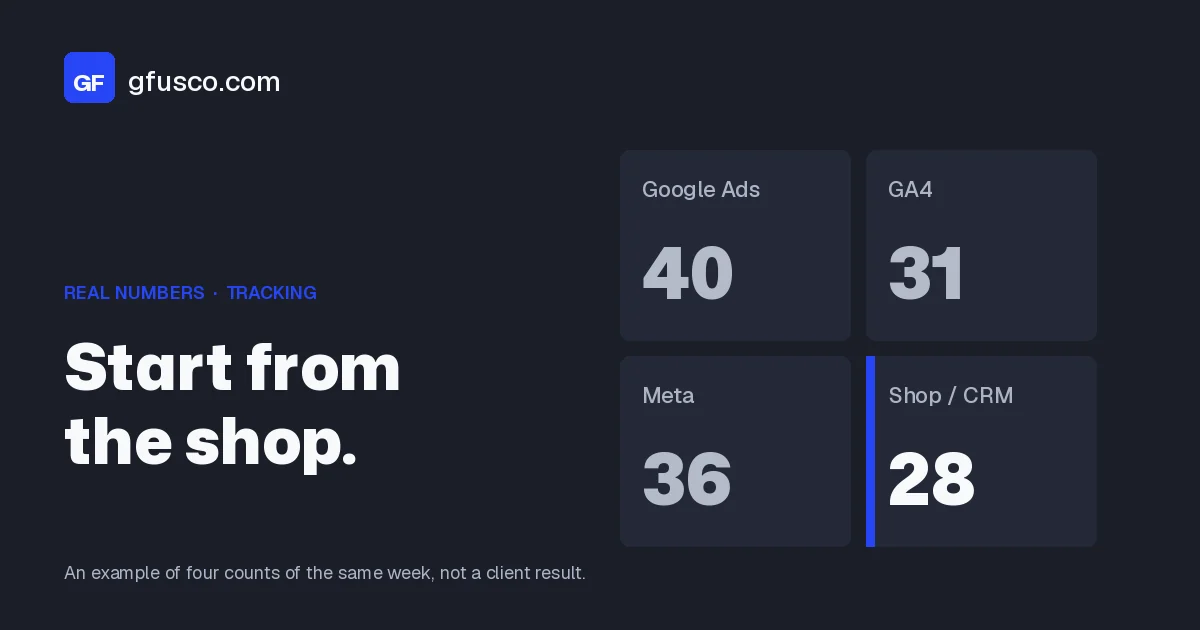
The numbers will never match one hundred percent, and that's fine. I explained why in why Google Ads, GA4 and your CRM don't match. A small, stable gap is normal. A big gap nobody can explain is not. If the agency tells you how many leads came in but not how many became customers, ask whether the data can go back to Google through offline conversions. Then Google learns from the good leads, not from every form.
When I calculate ROAS for a store, I first ask the client which sales to leave out. On one store we exclude orders that come from a marketplace, because they don't come from the ads. These are questions the person running the campaigns should ask, not you.
What does change history tell you?
Change history is under Campaigns, Change history. It lists the changes of the past two years, with date, time and user. If a change was made in the Google Ads interface, the User column shows the email of the person who made it. Changes made by automated systems show up as "Google Ads system" or similar, and changes made through external tools as "Google Ads API" or the tool's name (Google Ads Help).
Set the last 90 days and look at three things.
- Rhythm. On how many different days a person touched the account. Whole weeks with nothing, or changes only in the days before the report, deserve a question.
- Type. Only budgets and pauses, or also negative keywords, new ads, tests, exclusions?
- Who. Agency people, automated systems, tools. Many rows of "Google Ads system" usually mean auto-applied recommendations.
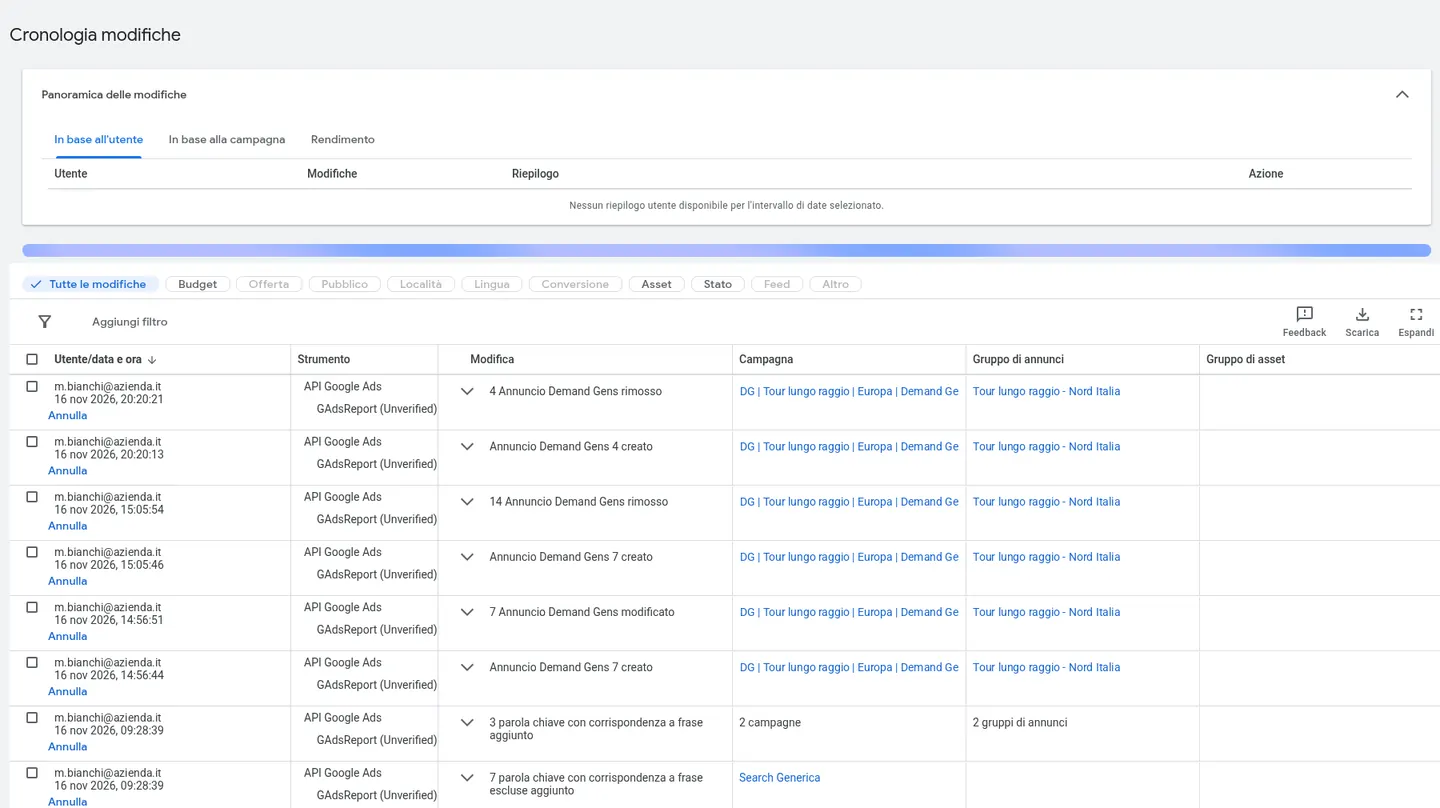
On r/adwords one business owner ran the numbers on his own data. In twelve months the agency had been active in the account 3.6 days a month on average, 70 of its 219 changes were budget changes, and out of 316,303 search terms 37 had ever been added or excluded (the thread). In another one, on r/PPC, the agency hadn't touched the account for two months and said it was already so well optimized that it didn't need changes (here).
Be careful, though. Change history is not a timesheet. It doesn't show analysis, meetings, or work on the site or the feed. A stable account on automated bidding can have few changes and do very well, and a hundred changes a week can do damage. The point is not how many changes there are. It's whether the person running the account can tell you why they made them.
I run an automated daily check on the online stores I work on, and the first thing it reads is change history. One morning it flagged two Shopping campaigns back in learning. Cross-checking change history, it found the likely cause: about a hundred changes to product groups that I had made the day before, with the time. It changed nothing on its own. It suggested leaving those campaigns alone for a few days and wrote down what it couldn't verify. Another time the same check found budgets changed by hand and negatives added that nobody had logged. Without knowing what changed, you can't read the results. It's what I ask of myself, and what you can ask of your agency: before blaming the algorithm, look at who changed what.
"We're still learning": how long does the learning phase last?
Less than people often say. Google rewrote its page about Smart Bidding learning. The Learning status shows up for three reasons only: a new or reactivated bid strategy, campaigns, ad groups or keywords added to or removed from the strategy, or a significant change to the conversion goals you optimize for. It never lasts more than 7 days. Changes to budgets, targets, ads or targeting don't trigger it.
The status is one thing. Results settling is another. Google says performance converges to a new goal over one to two conversion cycles, the time from a click to the conversion. To evaluate, it suggests two conversion cycles or a two-week window, whichever is longer.
So if you sell online and people buy within a few days, "we're still learning" after three months is not an explanation. If you sell solar systems and a quote takes six weeks to become a contract, you need more time and more patience. In both cases the right question is: which change started the learning, and when do we evaluate it?
Which searches are you paying for?
Open Campaigns, Insights and reports, Search terms. Last 30 or 90 days, sort by cost, highest first, and read the first 50 rows. These are the words people actually typed before clicking your ad, not the keywords someone picked (search terms report).
- Look for searches that would never buy from you. Job seekers, people looking for a free tutorial, a competitor's name, or a product you don't sell.
- Check whether they're excluded. In change history, filter keyword changes and look at the date of the last negative added.
- In Performance Max the view is more limited. There are search categories in Insights and terms in the report. I wrote about how PMax brings junk leads in Performance Max spam leads.
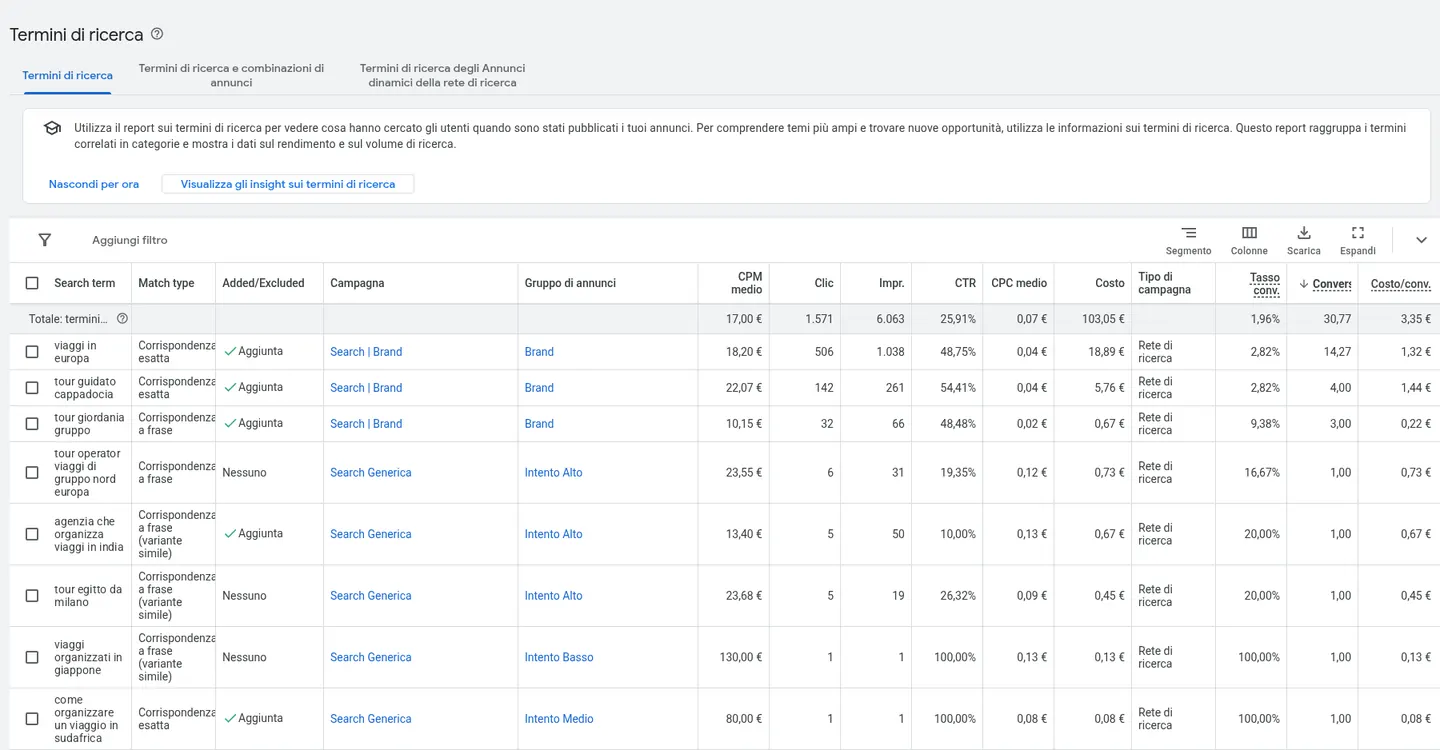
There are always some wrong searches, especially with broad match. The warning sign is when the same useless searches stay there for months and eat a real share of the budget.
Who accepts Google's automatic recommendations?
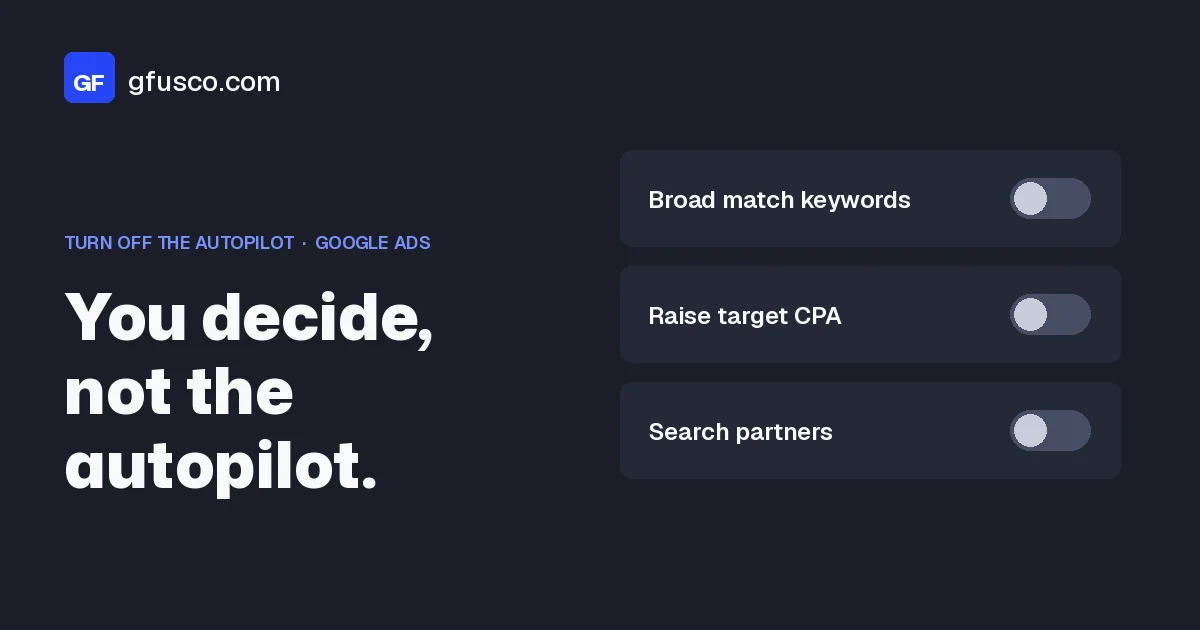
Google keeps proposing recommendations, and it can apply some of them on its own if auto-apply is on in the account. Broader keywords, budgets, ad text. I wrote about it in how to turn off auto-apply recommendations.
It's fine if an agency leaves some of them on. But it has to know, and be able to tell you which ones. Watch the optimization score too. Google calls it an estimate of how well the account is set to perform, and writes that you reach 100% by applying or dismissing all recommendations (optimization score). A high score doesn't prove good work. Sometimes it only means someone clicked Apply all.
If you sell online, do your feed and stock match?
For an online store, Shopping and Performance Max campaigns live on the Merchant Center feed. If the feed is wrong, the agency can do everything right in the account and results still won't come.
A case from this week. An online store's Black Friday campaigns went live at the agreed time. But the feed file had been generated overnight, before the store turned on the discounted products. Shopping and Performance Max couldn't see them. Forcing a fetch in Merchant Center didn't help, because the file was still the same. We asked the developers to regenerate the feed, then I checked the IDs of the discounted products one by one.
The questions to ask are simple. Who checks the feed, and when? What happens to ads for out-of-stock products? Before a promotion, does someone check that the discounted products are really in the feed? If the agency only runs the account and another supplier runs the feed, that's fine, as long as someone has this job written down.
Does the report help you decide?
A good report is not long. In a few lines it tells you how much you spent, what came back in real sales or leads, how it compares with last month and with the same month last year, why the numbers moved and what gets tested next month. If you need to call the agency to understand it, the report isn't doing its job.
Things I like to see:
- A mistake written down. "We changed the target too early, we're moving it back." People who write down mistakes usually find them too.
- A "we don't know yet, here's how we'll check". Better than made-up certainty.
- A request to you. Stock, prices, how fast leads get called back. Many results depend on this too.
Things that call for a question: thirty metrics and no summary, only clicks and impressions, numbers that always go up but never show up in the bank account.
The step-by-step checklist, in one hour
- Access. Check that you have Admin access with a company email. If not, ask for it in writing and note the date.
- Ownership. In the Managers tab see who is linked and who has ownership. Do the same in GA4, Tag Manager and Merchant Center.
- Primary conversions. List the primary actions and ask for each one: is this a sale or a real lead?
- Conversion test. A form or a small order, with the time noted. The next day check that exactly one conversion shows up.
- Compare with your numbers. One closed month: Google conversions, orders or CRM leads, customers.
- Change history. Last 90 days. Days with changes, type of changes, who makes them.
- Search terms. First 50 rows by cost. How many have nothing to do with you, and for how long?
- Auto-apply. What is turned on, and who decided it.
- Feed, if you sell online. Disapproved products in Merchant Center and out-of-stock products still in the ads.
- Report. Reread the last three. Do they explain why, and say what happens next?
Write what you find on one page, with your questions. That's your material for the next meeting with the agency.
An example with numbers
Made-up numbers to show the reasoning, not a client case. A window and door company spends €3,000 a month. The agency report says 120 conversions at €25 each, and the owner is happy.
Then he opens the conversions summary. The primary actions include the form and calls from ads, counted at any length. Of the 120 conversions, 45 are calls under 30 seconds. Another 15 are forms counted twice, by the tag and by GA4. The real leads in the CRM are 60, and 9 become customers.
Cost per real lead is 3,000 divided by 60, so €50. Cost per customer is 3,000 divided by 9, about €333. If a customer brings €1,200 of margin on average, the campaign is working, even though the real cost per conversion is double the one in the report. If average margin is €250, it isn't, and the report at €25 per conversion couldn't show it.
In this example the agency did nothing dishonest. It measured the wrong thing, and Google optimized for short calls. The fix is simple. Calls count as primary only above a minimum length, one primary form, and lead status sent back to Google. With the cost per lead calculator you can enter your own numbers and see the most you can pay for a lead. If you sell online there's the break-even ROAS calculator, and the formula is explained in break-even ROAS.
What are the most common mistakes?
I mean the mistakes of those of us who check, not the agency's.
- Judging after one month, or after one Black Friday week, without looking at demand and season.
- Treating cost per click or CTR as if they were results.
- Taking the conversion number in the report without knowing what it counts.
- Counting changes in change history as if they were hours worked.
- Not giving the agency sales or CRM data, then asking it to optimize for sales.
- Switching agency without ever having had Admin access, and finding out the day after.
- Asking for a second opinion from someone who sells the same service, without knowing it.
How do I talk to my agency without hurting the relationship?
With questions, not accusations. The people running your account usually want the same things you want, and often they're waiting for exactly the data they don't have. These are the questions I would ask.
- Which conversions are primary, and why those?
- How many of last month's leads became customers, according to your data?
- What did you change in the last 30 days, and what do you expect from it?
- Which auto-apply recommendations are on?
- What do you need from me to do better work?
- Who works in the account each week, and how many other accounts do they run?
The last question is not a trap. It tells you how much time the person actually doing the work can give you, and that's useful to know.
What do I check in the months after?
- Cost per customer, not only per lead. With the CRM or even a spreadsheet, once a month.
- The gap between Google's conversions and your numbers. If it stays stable, fine. If it grows, something changed in tracking or in lead quality.
- Change history, once a month. Ten minutes, so you know what changed before you read the report.
- Search terms, now and then. The top rows by cost say a lot.
- Google's emails about recommendations. If you get them too, you know what Google proposes and can ask about it.
Evaluate over a period that covers at least two conversion cycles, and compare with the same month last year when you can.
FAQ
How often should an agency make changes to the account?
There's no right number. It depends on budget, campaign types and conversion volume. Whole weeks with no changes, or changes only before the report, deserve a question. What matters is that every change has a reason the agency can explain.
Is it normal to ask my agency for Admin access?
Yes. The account belongs to your company and you pay for it. With Admin access you can see everything, add users and unlink an agency. Google itself suggests having more than one admin.
How long should I give a new agency?
The first checks, meaning access, conversions and search terms, can be done after a few weeks. Results need at least two conversion cycles or two weeks after each major change, and usually a few months for a fair judgment.
Does a high optimization score mean the agency is doing well?
No. The score goes up when Google's recommendations are applied or dismissed, so it measures how closely the account follows them. It doesn't measure sales or leads.
Can I check all this myself?
Access, change history and search terms, yes, with some patience. Conversions and the CRM comparison are more technical. There it can help to have someone read them with you, ideally someone with no interest in replacing your agency.
Sources
- About access levels in your Google Ads account, Google Ads Help
- Manager accounts: about ownership of client accounts, Google Ads Help
- About change history, Google Ads Help
- Review your account history, Google Ads Help
- About primary and secondary conversion actions, Google Ads Help
- About Smart Bidding learning, Google Ads Help
- About the search terms report, Google Ads Help
- About optimization score, Google Ads Help
- Use auction insights to compare performance, Google Ads Help