Why Performance Max often brings junk leads, and what to check first
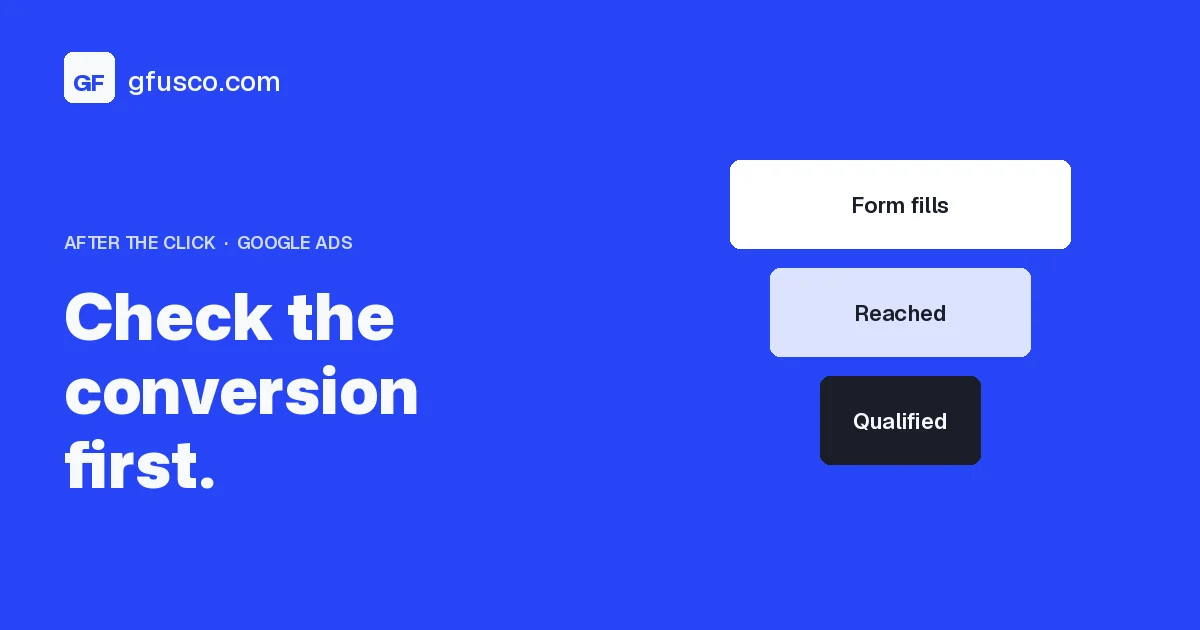
Performance Max looks for the cheapest way to get the conversion you gave it. If that conversion is a form submit, it will find forms, including people who never meant to become a lead, and placements you would never pick by hand. Before you raise the budget, check the conversion, the Google-hosted lead form, and where the ads actually showed.
Why does Performance Max bring poor leads?
Performance Max can show ads on Search, Shopping, Display, YouTube, Gmail, Discover and Maps. It is not a Search campaign with a wider network. It uses the signal you give it.
If the primary conversion is a form submit, a button click or a Google-hosted lead form, the campaign is doing its job when it gets those actions cheaply. In lead generation that often means spam, people who say they never signed up, and sites you would never choose as a placement. I see the same pattern whenever the conversion is too easy.
On Search, someone typed what they want. On YouTube, Display or Gmail there is no query. The conversion is the only thing that tells the campaign what a good lead looks like. If that conversion is "form submitted", a bot and a buyer count the same.
It also happens in ecommerce when the input is wrong. I have seen a Performance Max campaign set up without a product feed: it ended up spending on Display and YouTube. A Google rep later agreed the test had gone wrong. In the same email they suggested turning on Final URL expansion and text customization. I read every suggestion. I turn on what fits the account, not what fits the checklist.
What should you check first?
This is the order I work in, before I add budget.
- The primary conversion. Is Google bidding on a qualified lead, a booked call or a sale, or on any form submit? If volume is too low for a later stage, keep the form submit as a secondary action, not as the one used for bidding. Google's help says to pick the goal closest to a sale that still has at least about 15 conversions in the last 30 days, when you use value-based bidding. I use that number as a gate: below it, I start with Search, build the CRM feedback loop, then add Performance Max.
- Google-hosted lead forms. After a switch to default goals I have seen Google's own form become the primary conversion. Those leads never reached the CRM, and bidding learned from people sales had never spoken to.
- Placements and search partners. In Search campaigns, search partners are a frequent source of useless contacts. On Performance Max, open the channel performance report and exclude categories and sites you do not want. Google lists placement exclusions, negative keywords and IP exclusions among the content suitability controls.
- The feed and the landing page, for Shopping and for Performance Max on ecommerce. Merchant Center can mark a product as ineligible because of a page error, while Google Ads still pays for clicks on that product. I have also seen out-of-stock products still take paid clicks the next day, because the feed did not say so clearly. "Ineligible" does not mean you have stopped paying.
- The label in the interface. On a B2B account a Search campaign showed as limited by budget and had spent nothing that day. A status does not explain what is going on. On another B2B account a campaign spent almost twice its daily budget and was losing impression share to budget. The response was not "raise the budget": the cost per lead of that campaign was already above the account average.
How do Google-hosted lead forms confuse the picture?
A lead form asset, the form Google hosts next to the ad, can look convenient and cheap. The leads often stay inside Google until someone downloads them. If that form is also the primary conversion, the campaign has no reason to send people to your landing page or your CRM.
Google's Performance Max best practices for lead generation say that qualifying responses on lead forms work in Search campaigns, not in Performance Max. In Performance Max you filter on your own site form or in the CRM.
I treat those leads as a separate list until they show up in the CRM and someone has spoken to them. Then, if they are real, they can go back to Google as offline conversions. The same goes for Meta instant forms: a cheap contact is not always a useful one.
How to improve lead quality, step by step
Make these changes in order. One at a time, with the date written down. Do not change the goal, the target, the location and the assets in the same week.
1. Clean the form
Before you blame the campaign, check every form Performance Max can reach, not only the one on your final URL. Google, in the same help page, lists three filters: a qualifying question, reCAPTCHA and server-side validation.
- A real question, for example budget, timing or the service they want. Fire the conversion only on answers you would call back.
- reCAPTCHA, so a bot cannot submit the form.
- Server-side checks on phone and email, so a short number or a fake address never reaches the CRM and never counts as a conversion.
You still pay for the click. What you stop is teaching the campaign that spam is a success.
2. Change the primary conversion
- Click the Goals icon, then Conversions, then Summary.
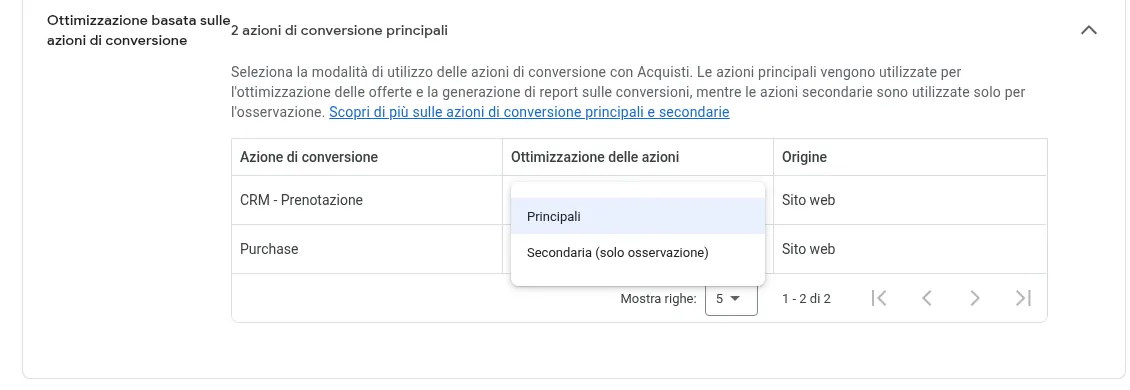
The menu that switches an action from Primary to Secondary (observe only). The example has two actions: you move the form submission to Secondary and keep the qualified lead as Primary. Client account, names and identifiers replaced. - Keep as Primary the qualified lead, the call the person actually attended, or the sale. Set the form submit to Secondary (observe only), from Edit goal, in the Conversion action optimization section.
- Bid on one stage in that campaign. Google warns that bidding on several stages of the same funnel inside one Target CPA strategy can be duplicative.
The help page also says that choosing categories such as Qualified lead or Converted lead turns on extra protections against invalid traffic.
3. Send CRM outcomes back
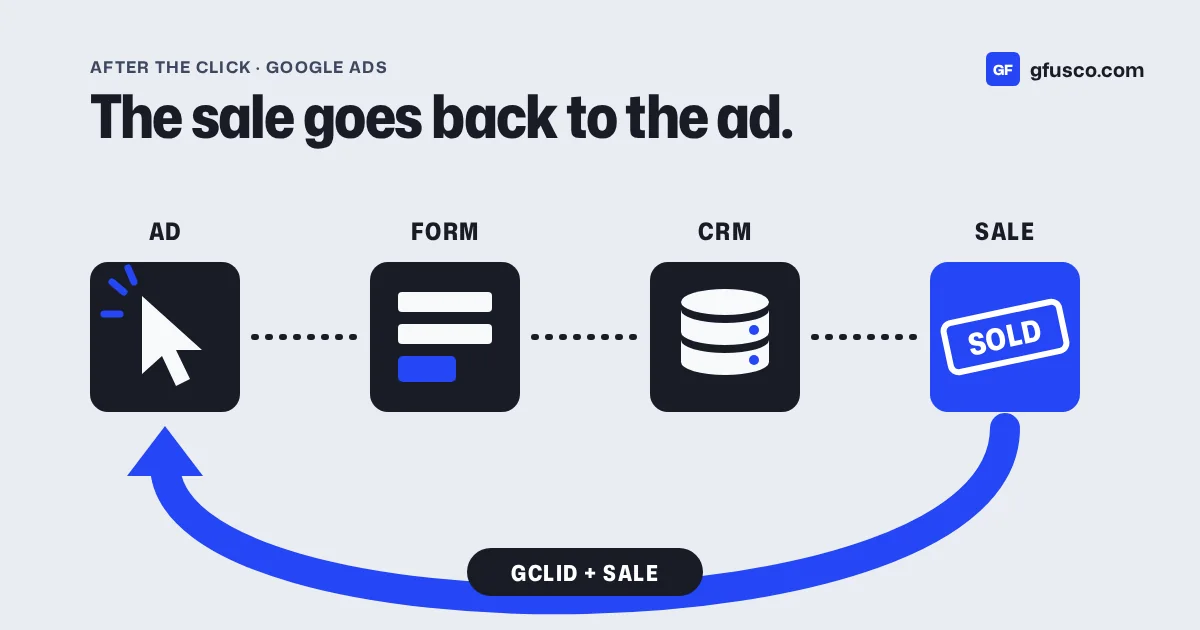
A qualified lead happens after the form, on the phone or on WhatsApp. To show it to Google you need offline conversions or enhanced conversions for leads, with the GCLID stored on the record. Without that step the campaign keeps optimising for forms.
4. Set location to Presence
If leads arrive from outside your area, do not start by excluding cities and countries. First change the location option.
- Go to Campaigns in the Campaigns menu.
- Open the Settings tab at the top.
- Expand Locations and select Location options.
- Select "Presence: People in or regularly in your targeted locations", then Save.
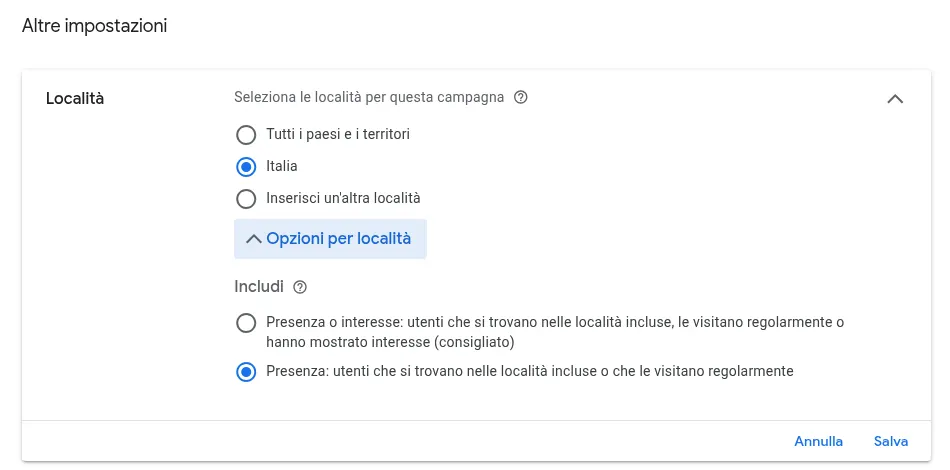
The default is "People in, regularly in or who've shown interest in your included locations (recommended)". "Interest" also shows ads to people searching for your area from another country. For a local service you usually do not need that. For a product you also sell abroad, decide case by case.
5. Check Final URL expansion
Final URL expansion is on by default. It lets Performance Max replace your page with another page on the same domain. Careers pages, blog posts and About pages often have a form or a phone number, and they do not sell. A job applicant who sends a CV becomes a "lead" if you count form fills.
- Go to Campaigns in the Campaigns menu.
- Select the gear icon beside the Performance Max campaign.
- Under Campaign settings, open Asset optimization.
- Under Text, uncheck Final URL if you want traffic to stay on the pages you chose. You can also leave it on and exclude URLs: in Text customization open Exclude some URLs, list the pages or a rule such as addresses that contain /blog, then Apply and Save.
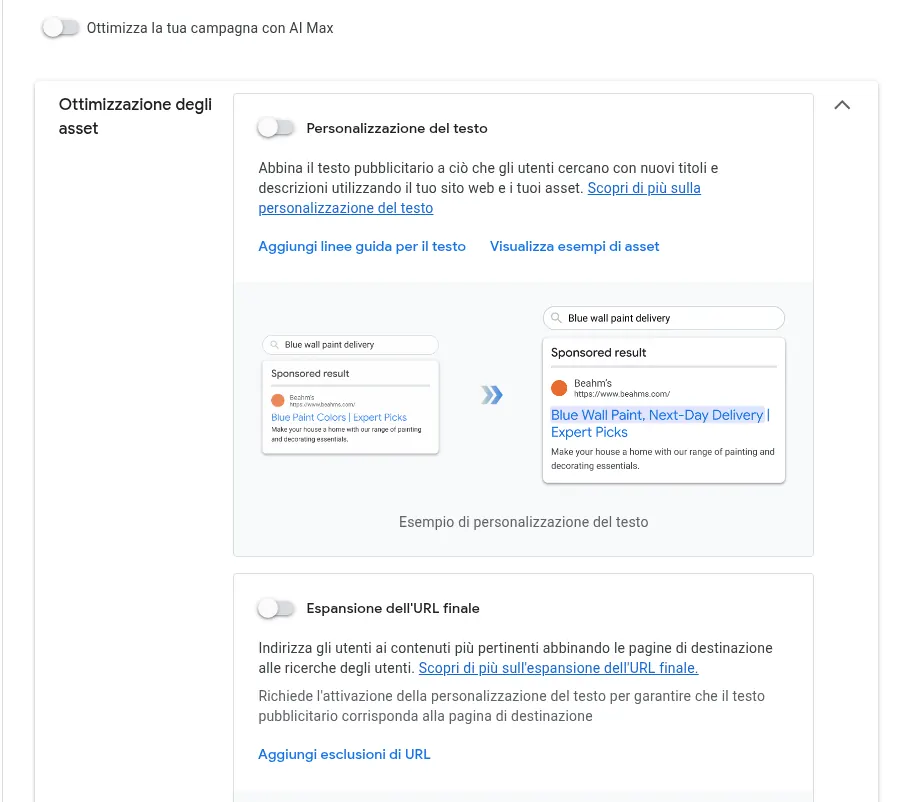
Google recommends leaving it on, and considering turning it off if ads show irrelevant pages. On a small site with one or two landing pages, I often turn it off or exclude the pages that do not sell. Changes can take 24 to 48 hours.
6. Read the channel performance report, then add exclusions
- Go to Campaigns, open Insights and reports, then Channel performance.
- Select the campaign, not "All campaigns", if you want the charts for that one only.
- Filter by Conversions, so you see the actions the campaign is optimising for. Compare each channel's leads with the CRM.
- Then act where the report points: campaign or account-level negative keywords (they apply to Search and Shopping, not to YouTube or Display), account-level placement exclusion lists, and brand exclusions if you do not want Performance Max to take searches for your own name.
Call people back quickly too. A cheap lead gets worse if nobody phones. I wrote about that in qualified leads and speed to lead.
Common mistakes
- Judging Performance Max on cost per lead. If the extra leads do not answer, cost per customer has gone up.
- Changing the goal, the target, the location and the assets in the same week, then judging it after five days.
- Lowering the target CPA or tROAS only to buy volume. In a European ecommerce account we lowered tROAS on Shopping, Performance Max and Search to get more volume. Google spent more. The sales did not arrive. Impression share was stable and no campaign was limited by budget: demand had dropped. Paying more does not make people search.
- Blaming the campaign without reCAPTCHA or a real question on the form.
- Leaving Final URL expansion on on a site that also has a form on the careers page.
- Asking Google for a refund on spam leads as the first move. Fix the conversion, the form and the exclusions first. Requests on this issue rarely go anywhere.
A worked example with made-up numbers, not a client case. In two weeks a Performance Max campaign brings 80 forms at €25 each. The CRM receives 74, of which 18 people are reachable and in the area, and 3 become customers. Cost per lead looks low. Cost per customer is €2,000. After you make the qualified lead the primary action, form volume drops and cost per lead rises. If you still get three customers and spend less, cost per customer has improved. That is the number to watch. You can try it in the cost per lead calculator.
What to check after
Google says to wait at least one to two weeks before major changes, and up to six if volume is low. That only holds if the conversion is already the right one. In the meantime I compare qualified leads and customers in the CRM every week, not cost per lead. If Final URL expansion is on, I also check the Expanded final URL assets tab and remove pages that should not have received traffic.
Should you pause Performance Max?
Not as the first move. If Search brings the leads sales wants, and Performance Max fills the CRM with useless contacts, tighten Performance Max or pause it until the conversion and the exclusions are in place. If it has no feed, or it is bidding on the wrong action, I would rather stop it than keep teaching it the wrong lesson.
The article on cost per lead and cost per customer explains why a lower cost per lead can be a worse result.
FAQ
Are junk leads always caused by Performance Max?
No. Search campaigns with search partners or Display turned on, and Meta instant forms, can show the same pattern.
Should I ask Google for a refund on spam leads?
I would not start there. Fix the conversion, the form and the exclusions. Refund requests on this issue rarely succeed.
How long should I wait before judging Performance Max?
Google says to let it run at least one to two weeks, or up to six if volume is low, before major changes. That only holds if the conversion is already the right one.
Does a lower cost per lead mean Performance Max is working?
No. If the extra leads do not answer or never reach the CRM, cost per customer has gone up. Cost per lead is the wrong number to celebrate.
Can I add negative keywords to Performance Max?
Yes, on the campaign, as a list, or at account level. They apply to Search and Shopping, not to YouTube or Display.
Should I turn off Final URL expansion?
Google leaves it on by default and suggests turning it off if ads show irrelevant pages. On a small lead-gen site I turn it off, or I exclude careers, blog and privacy pages.
How do I set location to Presence?
In Campaigns open Settings, then Locations and Location options. Select "Presence: People in or regularly in your targeted locations" and click Save.
Are Google lead forms fine in Performance Max?
I treat them as a separate list until they reach the CRM. Google's qualifying questions, according to the help page, work in Search, not in Performance Max. The filter belongs on your form or in the CRM. And that form should not be the primary bidding action.
Sources
- Answering your top questions about Performance Max, Google Ads Help
- Performance Max best practices for lead generation, Google Ads Help
- About Final URL expansion in Performance Max, Google Ads Help
- About the channel performance report, Google Ads Help
- Prevent clicks outside of your geo-targeted locations, Google Ads Help