Google Ads offline conversions: send your CRM sales back to Google
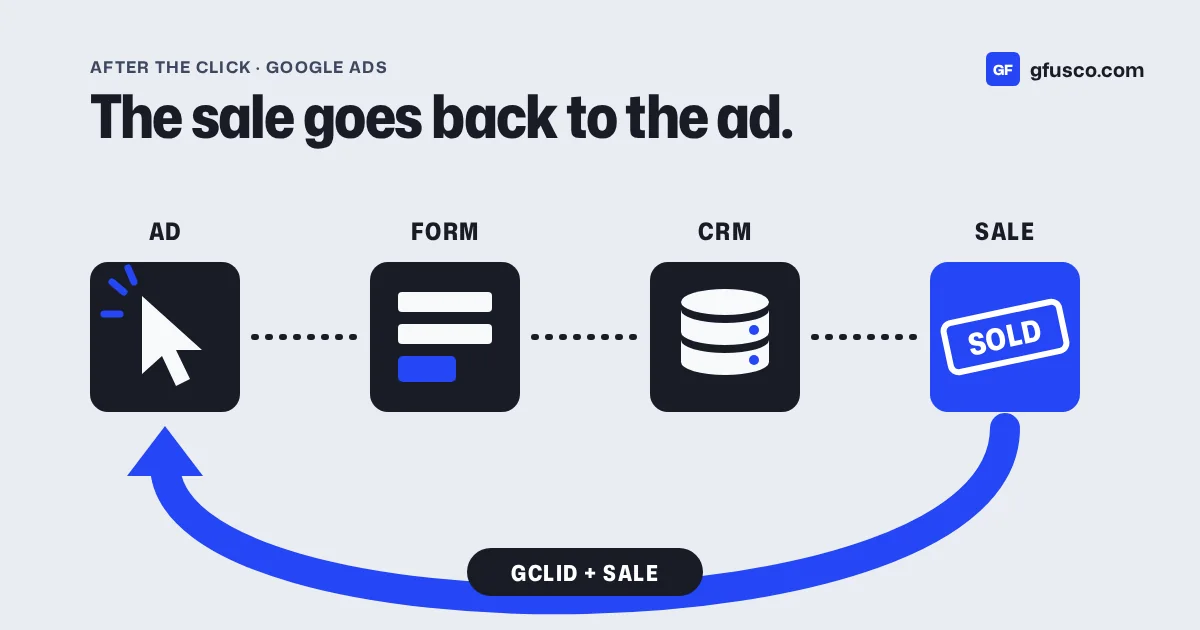
Google Ads offline conversions let you send sales that happen after the click, in your CRM or on the phone, back to Google Ads. Enhanced conversions for leads is Google's newer version of the same thing. It matches the sale with hashed data like the email address, on top of the GCLID, and Google recommends it for new setups.
If you sell services, this setup changes what Google optimises for. Without it, Google sees form fills. With it, Google sees which form fills became customers.
Why are form fills not enough?
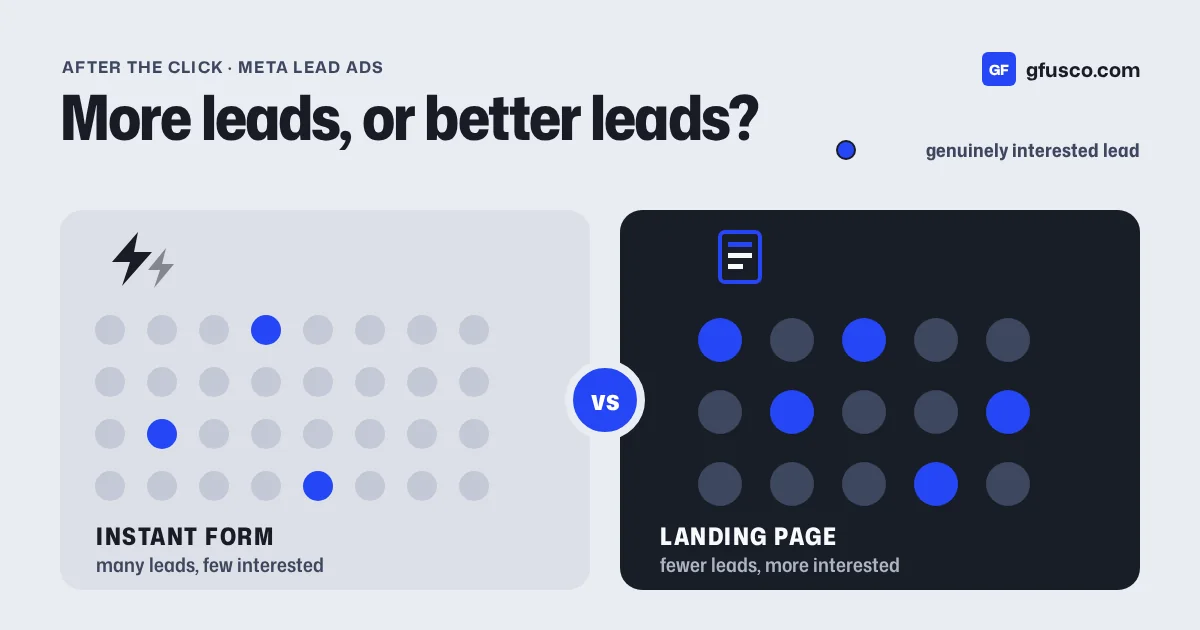
A form fill costs you money. A customer makes you money. Google Ads cannot tell the two apart on its own.
When the only conversion is "form submitted", smart bidding looks for more people who fill in forms. It does not care if they are students, competitors or spam. It finds them cheaply. Your cost per lead goes down and sales stay flat.
I see this often in B2B. The fix is not a better ad. The fix is to tell Google which leads were real. My post on cost per lead vs cost per customer shows what this does to your numbers.
What is the GCLID and why does it matter?
GCLID stands for Google Click ID. Google adds it to your landing page URL when someone clicks an ad and auto-tagging is on. It looks like ?gclid=Cj0KCQ....
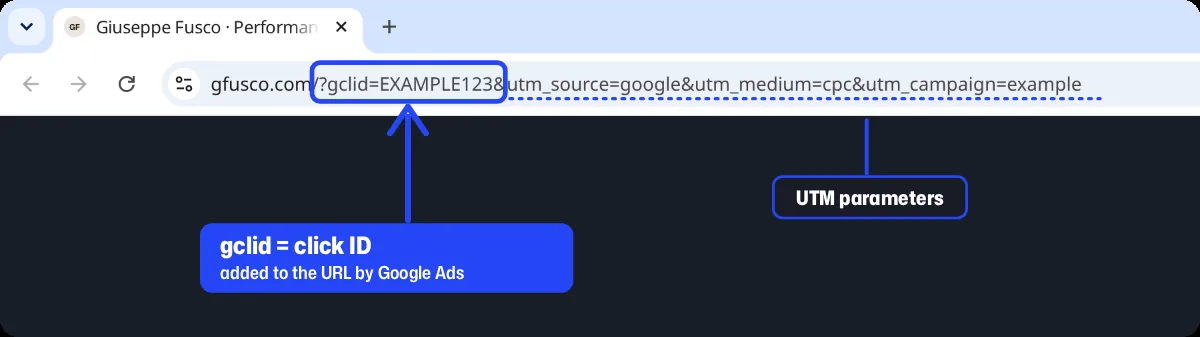
Every click gets its own GCLID. If you save it with the lead, you can later tell Google that this click became a customer. Google then knows which campaign, keyword and ad brought that sale.
Google's guide to offline conversion imports describes this flow. You store the ID with the lead. When the lead converts offline, for example by signing a contract, you send the ID back with the conversion name and time.
What are enhanced conversions for leads?
Enhanced conversions for leads is the upgraded version of offline conversion import. Your Google tag picks up data the person typed in the form, such as the email address. It is hashed before it reaches Google's servers. When you later upload the sale, you include the same email, hashed. Google matches the two.
Google Ads Help says to keep sending the GCLID whenever you have it. The email adds a second way to match. It helps when the GCLID gets lost, for example when the click and the sale happen on different devices.
Two recent changes are on the same Help page:
- From April 2026, enhanced conversions for web and for leads become one single on/off setting.
- From 15 June 2026, offline conversion and enhanced conversions for leads uploads go through the Data Manager API. The old route through the Google Ads API is blocked.
If someone built your upload a while ago with the Google Ads API, check that it still runs.
How do you connect your CRM to Google Ads?
This is the setup I use. The names change from CRM to CRM. The logic does not.
- Turn on auto-tagging in Google Ads, so every click carries a GCLID.
- Capture the GCLID on the landing page. A small script reads it from the URL and stores it in a first-party cookie. I save the UTM parameters too.
- Put it in a hidden form field. When the lead submits, the GCLID and UTMs travel with the name and email.
- Save it in the CRM in a custom field on the contact or deal. In Pipedrive or HubSpot this is one field.
- Pick the stages that matter, for example qualified and won. Create one offline conversion action in Google Ads for each.
- Send the conversions back. Google's Data Manager connects directly to some CRMs, like HubSpot and Salesforce. For others you can use a scheduled file, Zapier or a small script.
- Check the match rate. Google Ads has a diagnostics report. Look at it after the first upload, not three months later.
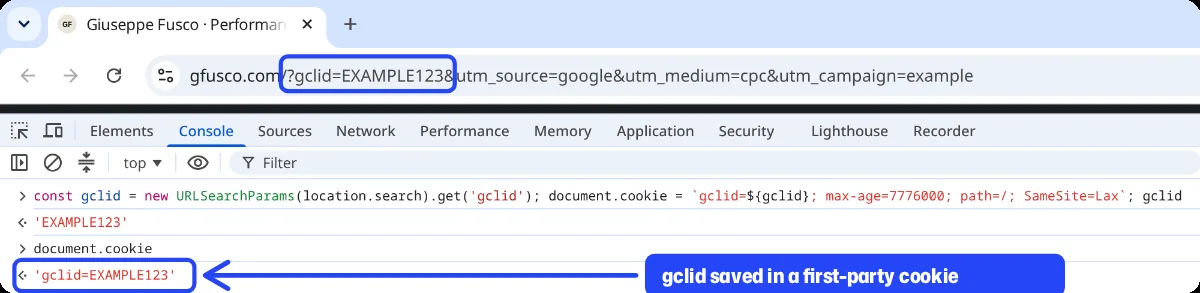
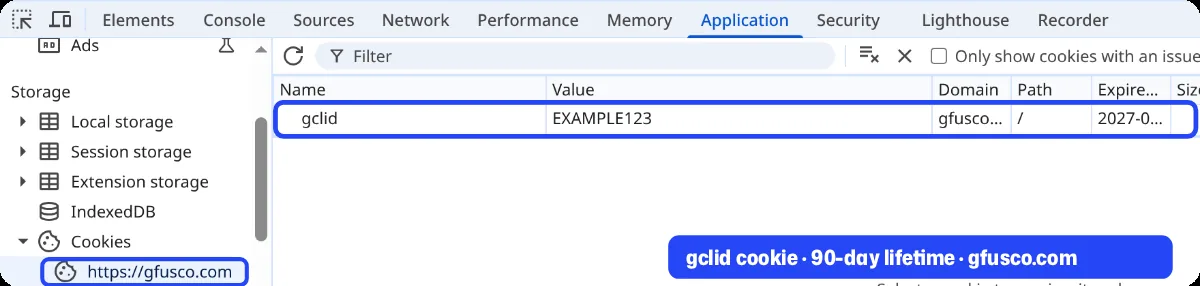
I built this with SOLID for a B2B company selling in Germany. The form sent the GCLID and UTMs into Pipedrive. Won deals went back to Google Ads as offline conversions.
Which conversion should Google Ads optimise for?
Pick the stage closest to money that still happens often enough.
| Stage | When it happens | Good bidding goal? |
|---|---|---|
| Form submitted | Minutes after the click | Only at the start |
| Qualified lead | Days later | Often the best choice |
| Deal won | Weeks or months later | Best signal, but may be too rare |
If you close few deals a month, Google has too little to learn from. In that case optimise for qualified leads and report on won deals. Google suggests the "Qualified lead" or "Converted lead" goal for these actions.
Give each stage a value if you can. A qualified lead might be worth your average deal value times your close rate. Then you can bid on value, not only on volume.
What about consent and privacy?
You are sending personal data to Google, even if it is hashed. You need consent for it. You also need to accept Google's customer data terms in the account.
In the EU, consent mode tells Google what each person agreed to. Google also recommends filling in the consent field when you upload conversions. My post on Consent Mode v2 explains how this works.
What are the most common mistakes?
- The GCLID gets lost because the form sits on another domain or inside an iframe.
- A redirect drops the URL parameters before the page loads.
- The CRM field exists, but nobody maps it, so it stays empty.
- The upload runs for a while, then stops when someone changes a password.
- The offline action and the form action are both primary, so Google counts the same lead twice.
Each of these fails quietly. Google Ads does not send an alert. You only find out when you look.
FAQ
What is the difference between offline conversion import and enhanced conversions for leads?
Offline conversion import matches the sale with the GCLID only. Enhanced conversions for leads also uses hashed data from the form, like the email, so more sales get matched.
Do I still need the GCLID with enhanced conversions for leads?
Google recommends sending it whenever you have it. It is required if you do not use a tag to collect user-provided data.
Does the same idea work with Meta?
Yes. Meta has the Conversions API for CRM. It sends lead stages from your CRM back to Meta, so Meta can optimise for leads that move forward.
How long does Google Ads need to learn from offline conversions?
It depends on volume. With few conversions a month, learning is slow. That is why many accounts start with qualified leads.