Ad and email creatives, from brief to approved files
A tool I built that turns a brief into finished ads and newsletters, then lets you approve them or ask for changes right on each creative.
The problem
Making ads and newsletters means a long chain of briefs, drafts, feedback scattered across email and chat, and versions nobody can find. Every round of changes goes back to a designer, and the brand’s details get lost along the way.
What I built
A local app that takes a brief and produces the creatives: Meta ads in every format and complete newsletters. It works from the brand’s own logo, colours, photos and past ads.
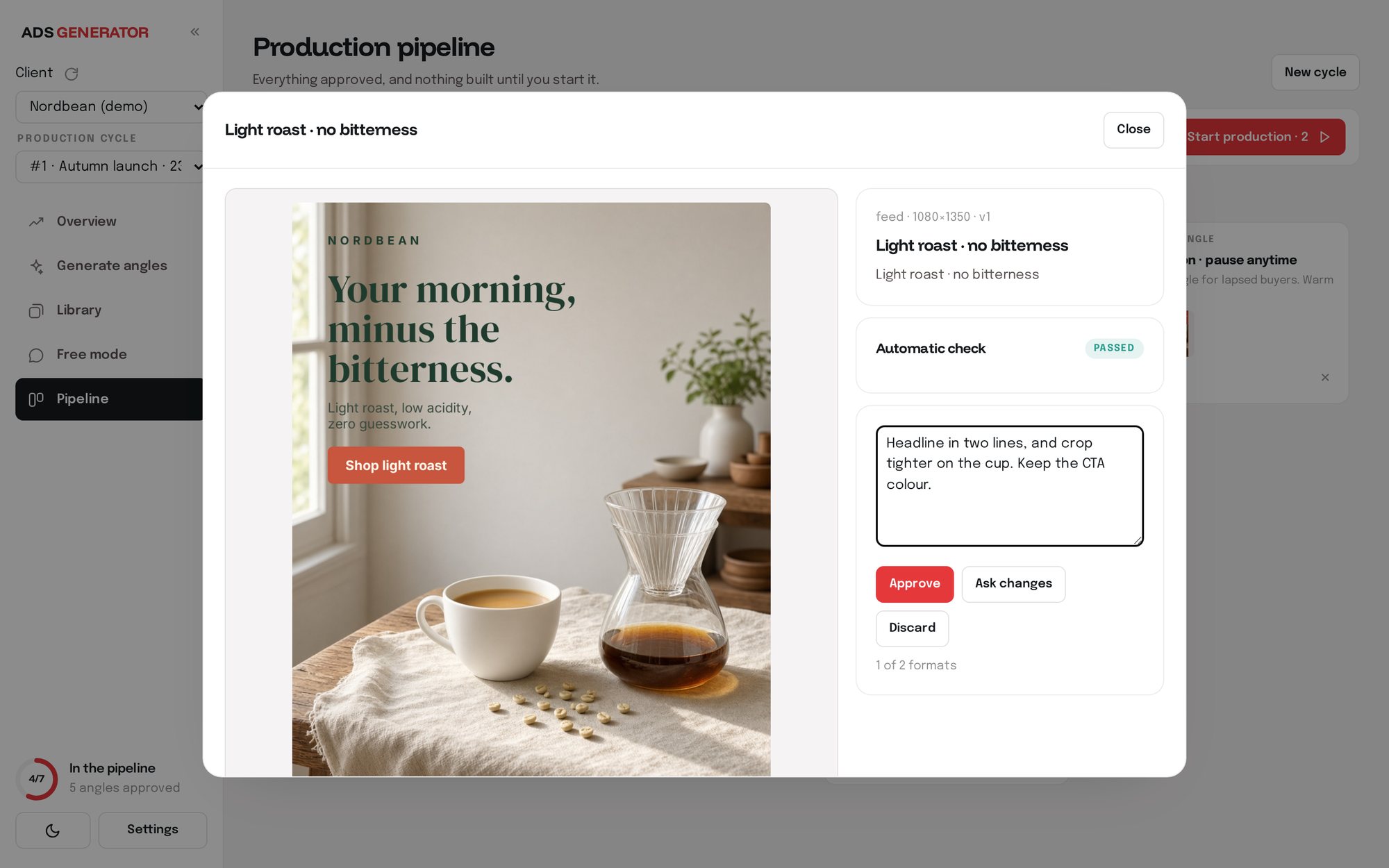
Each creative is built in HTML and CSS and exported as an image at the exact size of the placement. Feedback happens on the creative itself, one at a time, so nothing gets lost.
How it works
- 01
Brief
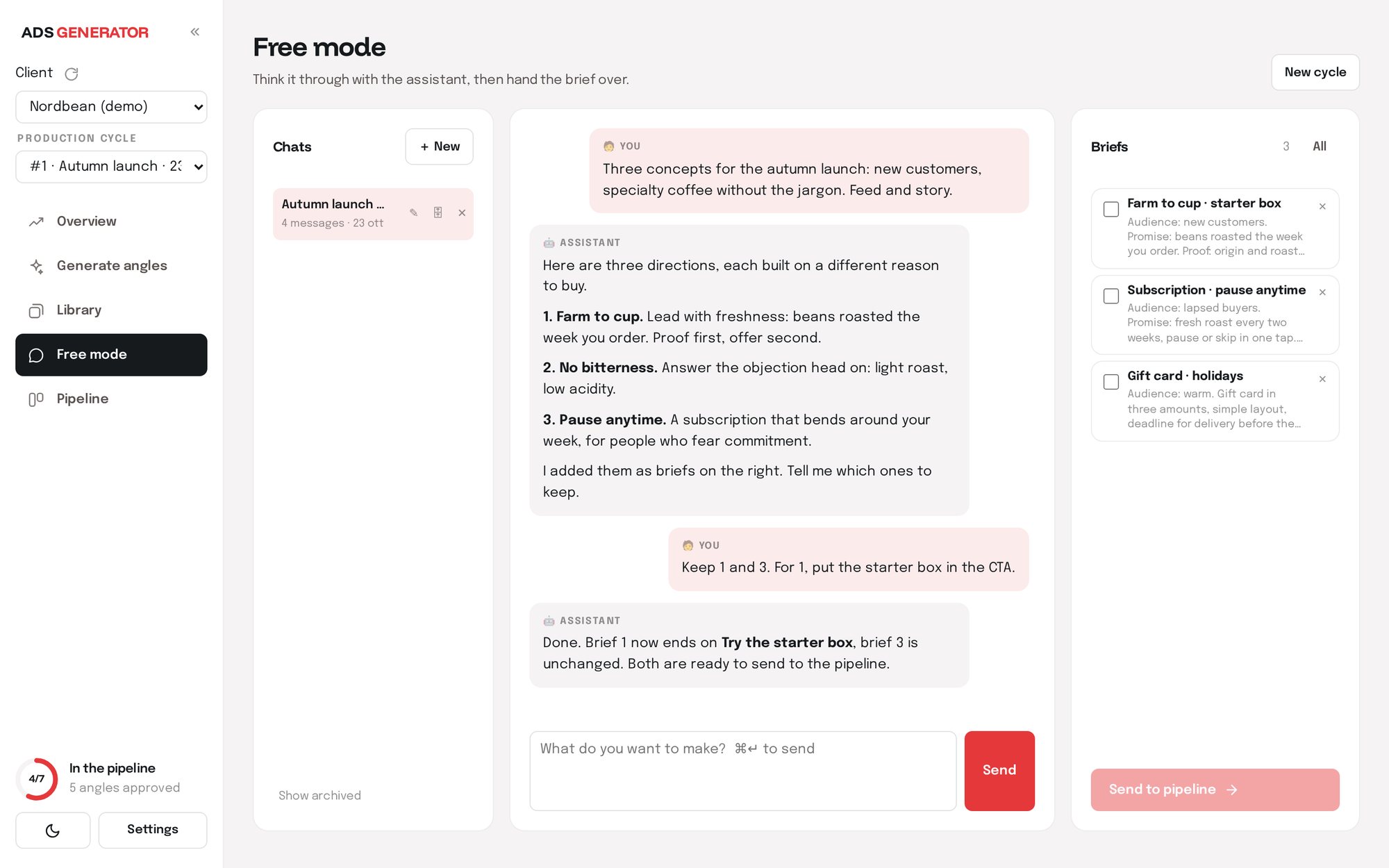
Talk the idea through in a chat, or start from angles the tool proposes. Each idea becomes a brief: audience, promise, proof and call to action.
- 02
Generate
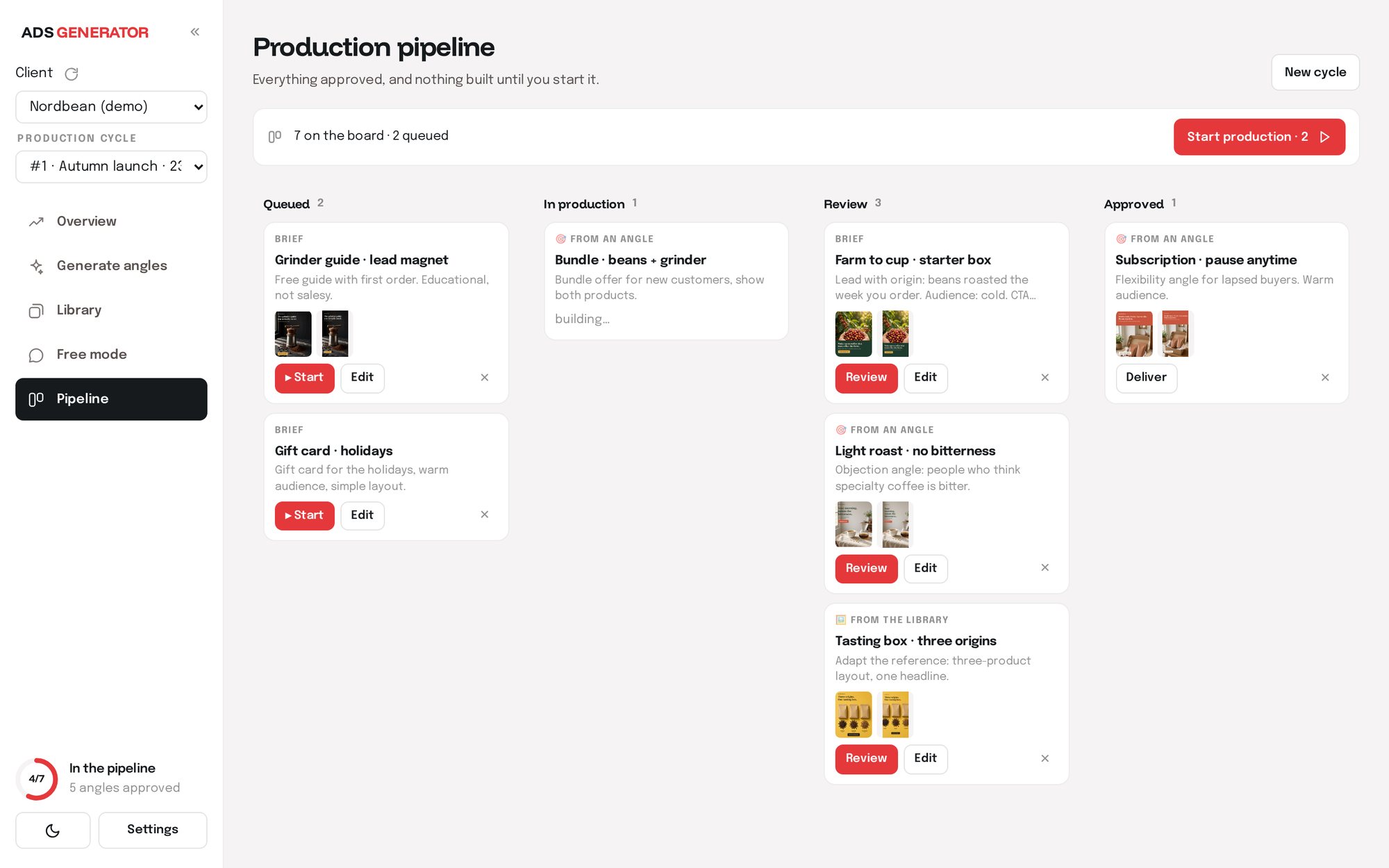
Approved briefs go into the pipeline. The tool builds every format, feed and story, and checks each one automatically before showing it to you.
- 03
Review in the gallery
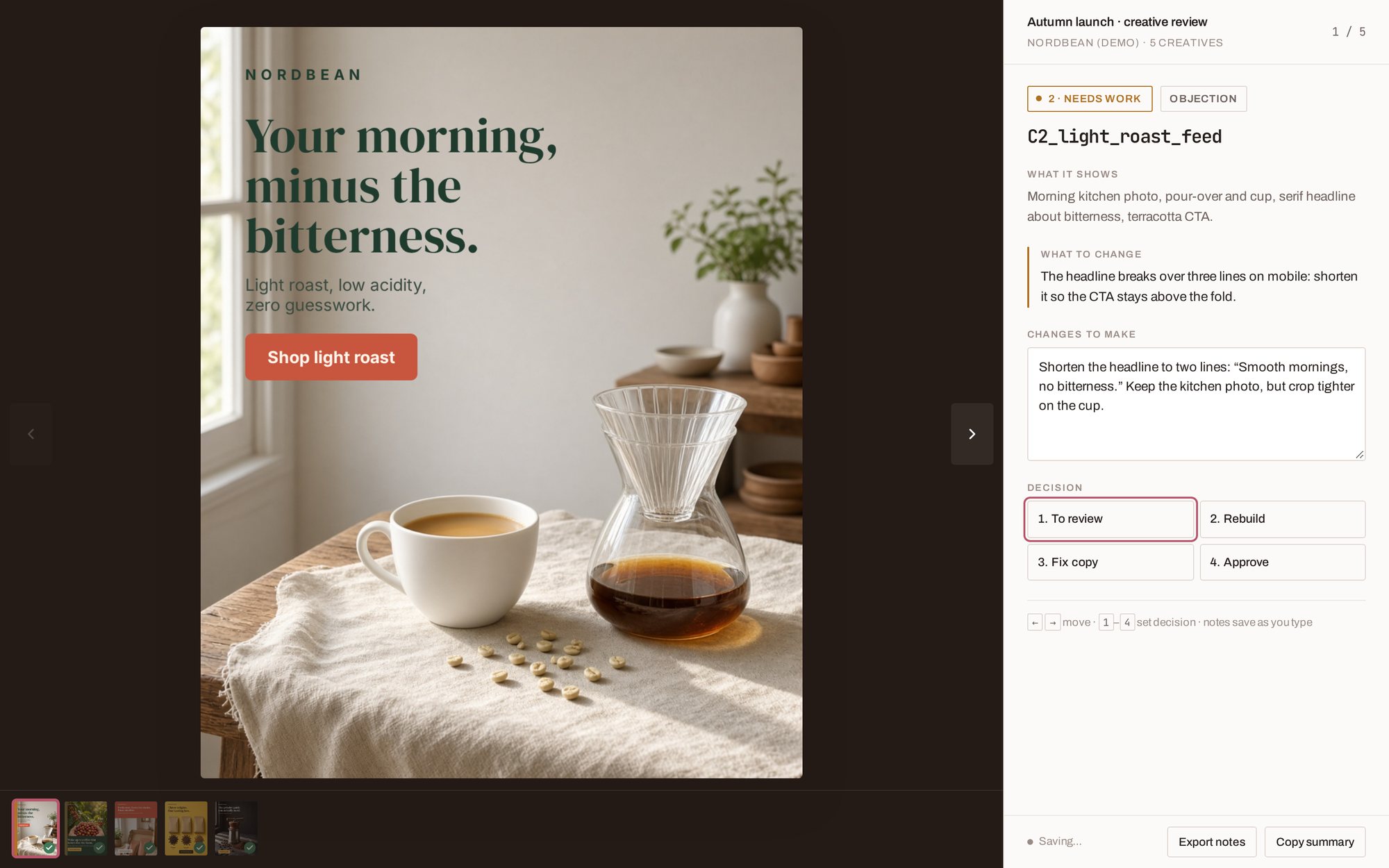
Each creative opens large with a notes field. Approve it, discard it, or write what to change in your own words. The next version reads exactly that note.
- 04
Export
Only approved creatives leave the tool: download, Google Drive or a task in Notion. Nothing is ever published to the ad accounts on its own.
Newsletters too
The same flow builds emails: complete responsive newsletters with live text and the brand’s real photos, reviewed in a preview where you can comment on any single element.
What it changes
Rounds of changes take minutes instead of days, and nobody has to chase feedback across email and chat.
Every creative is on brand and in the right format, and you see all the variants side by side before choosing.
The designer works on what needs a designer. The repetitive variants come out of the tool.
Want a tool like this for your business?
Tell me what slows your team down. In the free audit I look at where a custom tool would save the most time.