Server-side tracking: what it fixes, what it does not and when you need it
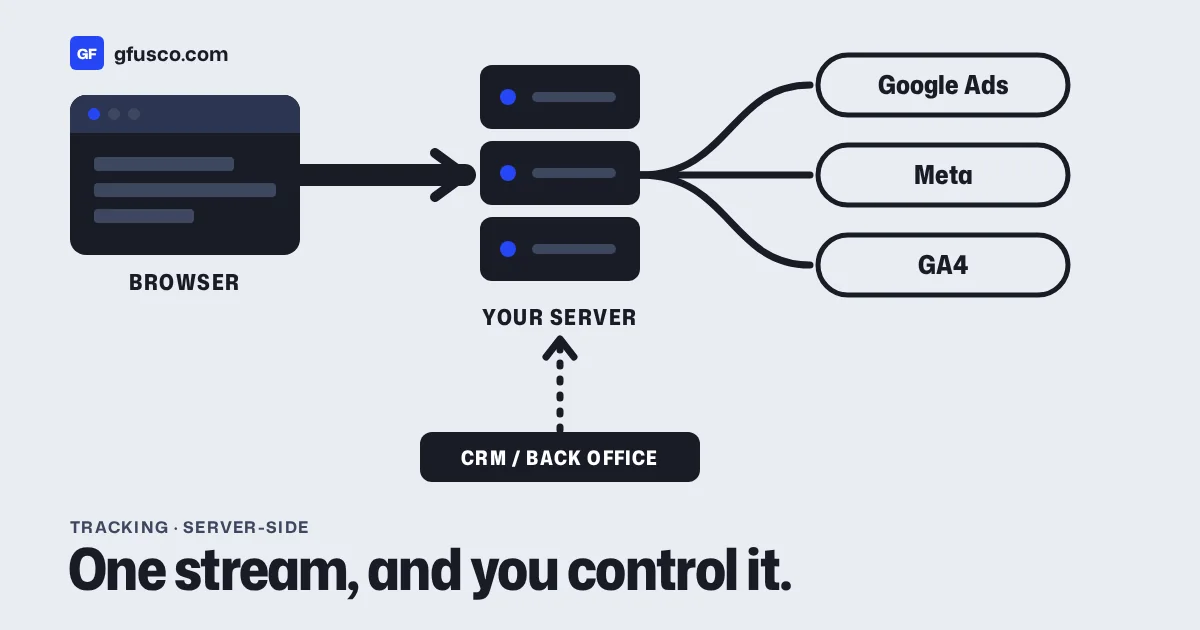
Server-side tracking means your conversion data goes from your site to a server you control, and from there to Google, Meta and the other tools. The browser no longer talks to every vendor directly. Done well, it gives you more complete and cleaner conversion data. It does not replace consent, and it does not fix bad tracking by itself.
I set it up when the numbers in the ad platforms and the numbers in the CRM or the shop stop matching. Here is how I think about it.
What is server-side tracking?
In the classic setup, every tag runs in the visitor's browser. The Google Ads tag, the Meta Pixel, GA4 and others each send their own requests from the page.
In a server-side setup, the browser sends one stream of data to your own tagging server. That server decides what to forward, to whom, and in what form. Some events can also come straight from your backend, like a paid order or a lead marked as won in the CRM.
There are two common pieces:
| Piece | What it is |
|---|---|
| Server-side Google Tag Manager | A server container that receives events and sends them on to Google and other tools. It uses the same tag, trigger and variable model as web GTM. |
| Meta Conversions API | Meta's way to receive events from a server, next to or instead of the Pixel. |
What does server-side tracking fix?
Google lists three benefits for server-side tagging: page performance, more detailed user privacy controls and data quality. In practice I see these:
- Fewer scripts in the browser. Less third-party code on the page can help speed on phones.
- Your own domain. The tagging server runs on a subdomain of your site, so requests go to your domain.
- Control over data. You can remove fields before they reach a vendor, like an IP address or a URL parameter with personal data.
- Events the browser never sees. A refund, a phone sale or a qualified lead can be sent from the backend.
What does it not fix?
This part gets lost in a lot of sales pitches.
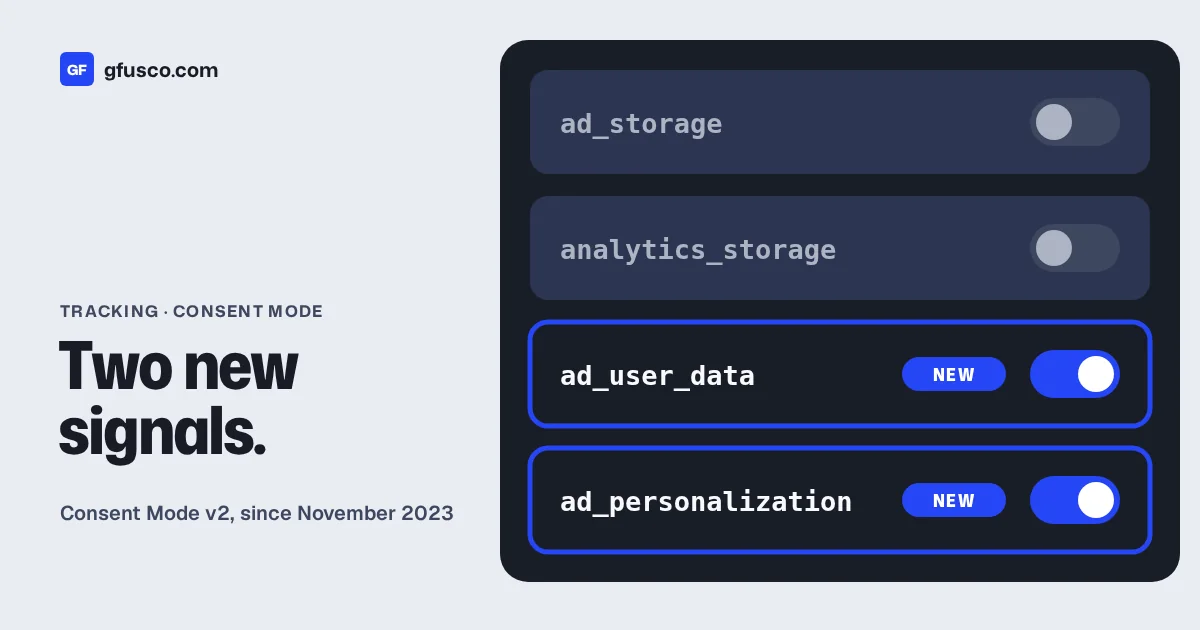
- Consent. If a visitor says no to ad cookies, that choice still applies on the server. Server-side tracking is not a way around the banner. Read my post on Consent Mode v2.
- A broken data layer. If the site sends the wrong value or fires a purchase on page reload, the server forwards the same mistake.
- Wrong conversion goals. If you optimise for form fills that never become customers, cleaner data on form fills does not help. You need offline conversions.
Why do conversions get counted twice?
This is the most common problem I fix. One case I worked on was a Shopify store that sent each purchase twice. The theme fired the event, and an app fired it again.
With Meta it gets worse when you add the Conversions API next to the Pixel. Meta recommends this "redundant setup", but then you must deduplicate the events. The recommended way is to send the same event name and the same event_id from the Pixel and from the server. If the IDs do not match, Meta may count both.
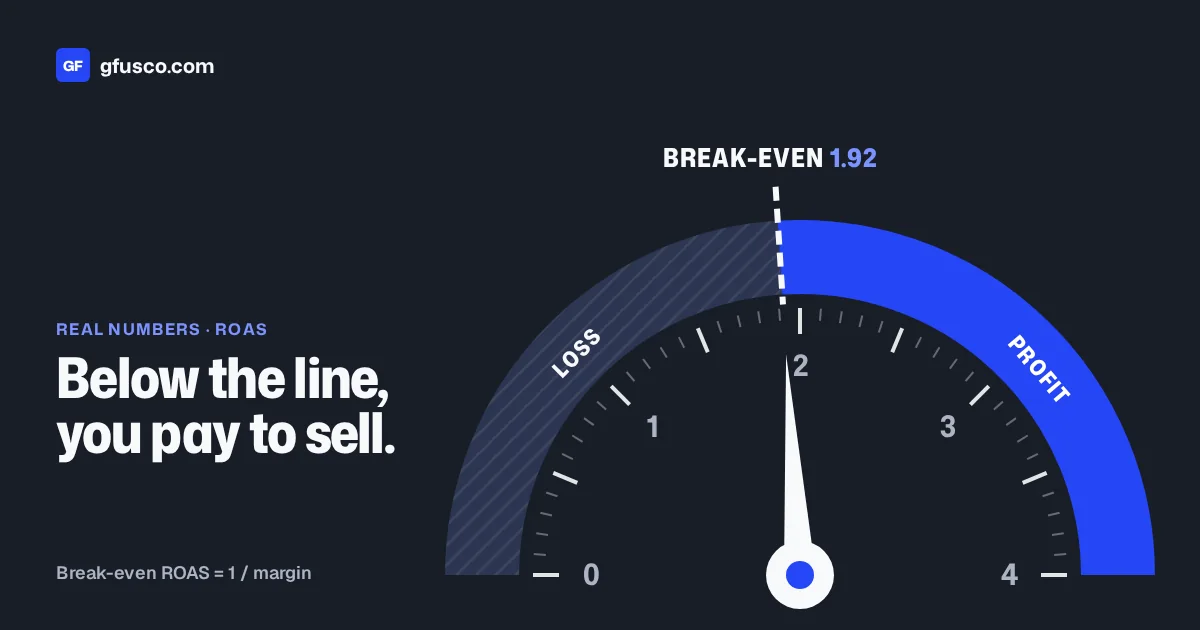
Double-counted purchases make your ROAS look better than it is. Then you scale campaigns that lose money. Check your numbers against the break-even ROAS before you trust them.
Do you need server-side tracking?
Not always. This is my rough guide:
| Situation | Server-side? |
|---|---|
| Small site, few conversions, basic GA4 | Not yet. Fix the basics first. |
| Shop or lead gen spending real money on Meta | Yes, at least the Conversions API with deduplication |
| Leads that close offline, in a CRM | Yes, and connect the CRM to the ad platforms |
| Ad platform numbers far from shop or CRM numbers | Audit first, then decide |
| Many tags slowing the site on phones | Worth testing |
Many platforms also have native connectors. Shopify, for example, can send events to Meta through its own integration. Check what you already have before you build something new.
What does a server-side setup cost?
You pay for hosting the tagging server, plus the time to set it up and test it. Google's documentation covers Cloud Run, App Engine and a manual setup on other platforms. Hosted GTM services exist as well.
The bigger cost is maintenance. Someone has to watch it, update it and check the numbers after every site change.
How do you check that it works?
- Place a test order or send a test lead.
- Check that each platform received it once, with the right value.
- For Meta, check Events Manager for deduplication and match quality.
- Compare a week of conversions in the ad platforms with the shop or CRM.
- Repeat after every theme, app or form change.
FAQ
Is server-side tracking GDPR compliant?
It can help, because you control what data leaves your server. It does not replace consent. You still need a valid legal basis and a consent banner where the law requires one.
Is the Meta Conversions API the same as server-side GTM?
No. The Conversions API is Meta's endpoint. Server-side GTM is one way to send data to it. A CRM, a Shopify integration or your own code can do the same.
Will server-side tracking recover all lost conversions?
No. It recovers some data lost to browser limits and ad blockers, where consent allows it. It cannot measure people who did not consent.
Can I keep the Pixel when I add the Conversions API?
Yes. Meta recommends using both. Just deduplicate the events with a shared event ID.